- Pagina inicial /
- Eletrónica /
- Computers, Laptops and Tablets /
- Computer Accessories /
- Docking Stations & Locks /
- Dell WD15 Docking Station
0 ratings


Artigo n.º:
63203714
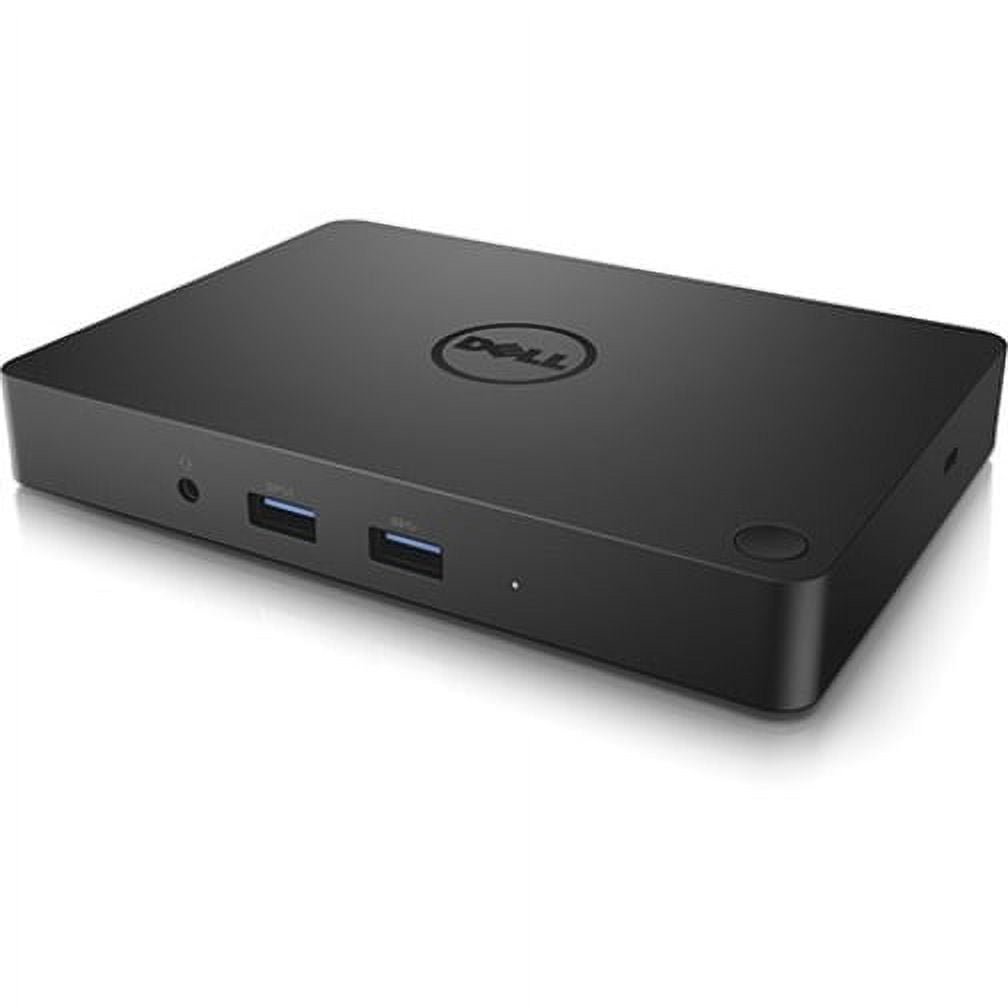
Dell WD15 Docking Station
Artigo n.º:
63203714
MZN 4074
Price Details
Excluding Shipping & Custom charges ( Shipping and custom charges will be calculated on checkout )
*All items will import from EUA
0 ratings
Escreva um comentário
Em estoque
 Importado da loja USA
QTY:
Encomende já e receba por volta de Quinta-feira, Julho 02
Secured transaction
Ubuy works hard to protect your security and privacy. Our advanced payment security system ensures confidentiality by encrypting your information during transmission using AES (Advanced Encryption Standards) and SSL (Secure Socket Layer) protocols. Your payment details are 100% secure as we do not share your payment details with third party sellers.
Os nossos principais Parceiros Logísticos


Elevate your workspace with the Dell WD15 Docking Station, offering unmatched connectivity with 5 USB ports and dual display options!

Fast
Shipping

Devolução
gratuita*

Embalagem Segura

Produtos 100% Originais

Certificação PCI DSS

Certificação ISO 27001


Note: Step Down Voltage Transformer required for using electronics products of EUA store (110-120). Recommended power converters Compre Agora.


O que se Destaca
Versatile Connectivity
Offers multiple ports including USB-C, HDMI, and Ethernet, seamlessly connecting various devices for enhanced productivity in a single connection.
Power Delivery
Delivers up to 130W of power through USB-C, charging laptops while enabling data transfer, ensuring devices stay powered all day without extra chargers.
Compact Design
Space-saving and portable design makes it ideal for home offices and workspaces, providing functional expansion without clutter.
Detalhes do produto
- Dell WD15 Docking Station with USB Type C interface
- 5 x USB Ports, including 3 x USB 3.0 and 2 x USB 2.0
- Features HDMI, VGA, and Mini DisplayPort for video output
- Includes Network (RJ-45) port and Audio Line Out
- Connectivity via Thunderbolt technology
- California Proposition 65 warning: n/a
| Compatibility | Latitude 15 (E5570), Precision 15 (3510), Precision 15 (5510), Precision 15 (7510), Precision 17 (7710), XPS 15 (9550) |
| Inputs/Outputs | 5 x USB Ports, 2 x USB 2.0, 3 x USB 3.0, Network (RJ-45), HDMI, VGA, Mini DisplayPort, Audio Line Out, Thunderbolt |
| Usb version | USB 3.0 |
| Input/output quantity | 5 |
| Brand | Dell |
| Model name | WD15 |
| Has written warranty | No |
| Color | Black |
| Weight | 1 lbs (450 grams) |
| Input/output direction | Bi-Directional |
Quem Deverá Comprar?

-
Business Professionals
Ideal for users needing multiple displays and connectivity options for efficient multitasking and productivity in office environments.
-
Frequent Travelers
Great for users who require a portable docking solution that easily connects laptops to external devices when on the go.
-
Creative Designers
Perfect for designers utilizing high-resolution monitors and diverse peripherals for graphic design, video production, or 3D modeling.

-
Gaming Enthusiasts
Not suitable for gamers seeking high performance, as it may not provide the necessary bandwidth for gaming peripherals.
-
Casual Users
Users requiring minimal connectivity may find it excessive and prefer simpler, more affordable solutions for basic needs.
-
Older Laptop Models
Not compatible with outdated devices lacking USB-C ports, limiting usability for older model laptops or systems.
DESCRIÇÃO DO PRODUTO
Dell WD15 Docking Station
Tem alguma Dúvida? Converse connosco
Perguntas e Respostas dos Clientes
-
pergunta:
What types of USB ports does the Dell WD15 Docking Station have?
Resposta: The docking station has a total of 5 USB ports, comprising 3 USB 3.0 and 2 USB 2.0 ports. -
pergunta:
Can I use multiple displays with the Dell WD15 Docking Station?
Resposta: Yes, the docking station supports both HDMI and VGA connections for dual display setups. -
pergunta:
Is the Dell WD15 Docking Station easy to set up?
Resposta: Absolutely! It features a simple plug-and-play setup via the USB Type C connection for quick installation.
Dell Docking Stations & Locks Editorial Review
The Dell WD15 Docking Station offers a robust solution for users seeking to streamline their workspace and enhance their connectivity options. Designed specifically for devices like the XPS 13 9315, this dock stands out for its single power button feature, which allows users to power on their laptops easily and reduce desktop clutter. Users have noted that the WD15 maintains a cool operation, which is a Considerable improvement over other hubs that may experience overheating during extensive use. With an HDMI port capable of supporting a 4K monitor, along with several USB 3.0 and Ethernet ports, the docking station serves adequately for light office tasks. While it excels in basic functionality, it does have some limitations. Users have expressed disappointment over the necessity of a dedicated dongle to utilize the DisplayPort, as well as the requirement of initial setup time, including a couple of reboots. The lack of built-in USB-C support and the use of a traditional barrel plug instead of a more modern USB PD design has also raised concerns about the device's future-proofing capabilities. Nonetheless, the WD15 provides a user-friendly interface for managing multiple peripherals while ensuring decent functionality for everyday tasks. For those with more advanced needs, like multiple 4K displays or numerous external drives, alternative, higher-end docks might be worth Considering. However, the WD15 presents a compelling option for users looking for a reliable docking station without breaking the bank. **
Avaliações e Classificações dos Clientes
1 classificações de clientes
-
5 Estrela
100%
-
4 Estrela
0%
-
3 Estrela
0%
-
2 Estrela
0%
-
1 Estrela
0%
Avaliar este produto
Partilhe as suas ideias com outros clientes
Prós
- Single power button simplifies startup.
- Good selection of ports for basic connectivity (HDMI for 4K, multiple USB 3.0, Ethernet).
- Reduces desk clutter compared to having multiple cables.
Contras
- Requires a dongle for DisplayPort connectivity.
Histórico de preços do produto
Informação importante
- Limitações: para produtos expedidos internacionalmente, tenha em atenção que qualquer garantia do fabricante pode não ser válida; opções de serviço do fabricante podem não estar disponíveis; manuais de produtos, instruções e avisos de segurança podem não estar nas línguas do país de destino; os produtos (e materiais que o acompanham) pode não ter sido concebido em conformidade com as normas, especificações e requisitos de rotulagem do país de destino; e os produtos podem não estar em conformidade com a voltagem e outras normas elétricas do país de destino (requerendo assim o uso de um adaptador ou conversor caso seja apropriado). O destinatário é responsável por garantir que o produto pode ser legalmente importado para o país de destino. Quando encomenda à Ubuy ou aos seus afiliados, o destinatário é o importador de registo e deve estar em conformidade com todas as leis e regulamentos do país de destino.
- Nem todos os produtos listados na Ubuy estão à venda, uma vez que a Ubuy é um motor de busca global. Os produtos estão sujeitos a leis de exportação/comércio.
MZN 4074
Encomende já e receba por volta de Quinta-feira, Julho 02
Este artigo não está restrito no meu país. (Clique no link acima se este artigo não estiver restrito no seu país, para que a nossa equipa o analise e permita.)
QTY:
Secured transaction
Ubuy works hard to protect your security and privacy. Our advanced payment security system ensures confidentiality by encrypting your information during transmission using AES (Advanced Encryption Standards) and SSL (Secure Socket Layer) protocols. Your payment details are 100% secure as we do not share your payment details with third party sellers.
Os nossos principais Parceiros Logísticos
Entrega internacional mais rápida
Recursos e benefícios
- Maximize productivity with 5 USB ports including 3 USB 3.0 for faster data transfer.
- Supports HDMI, VGA, and Mini DisplayPort for versatile dual display capabilities.
- Connect to the internet effortlessly with a built-in Network (RJ-45) port.
- Designed for a seamless connection via USB Type C technology.
- Ideal for home offices, workspaces, or on-the-go professionals.
- Stable wired connectivity ensures reliability and enhanced performance.